A React Native mobile application that simplifies personal finance management by unifying multiple bank accounts, enabling QR code payments, and providing interactive budget visualization through a non-custodial system powered by Plaid, Stripe, and a Node.js Express backend.
Overview
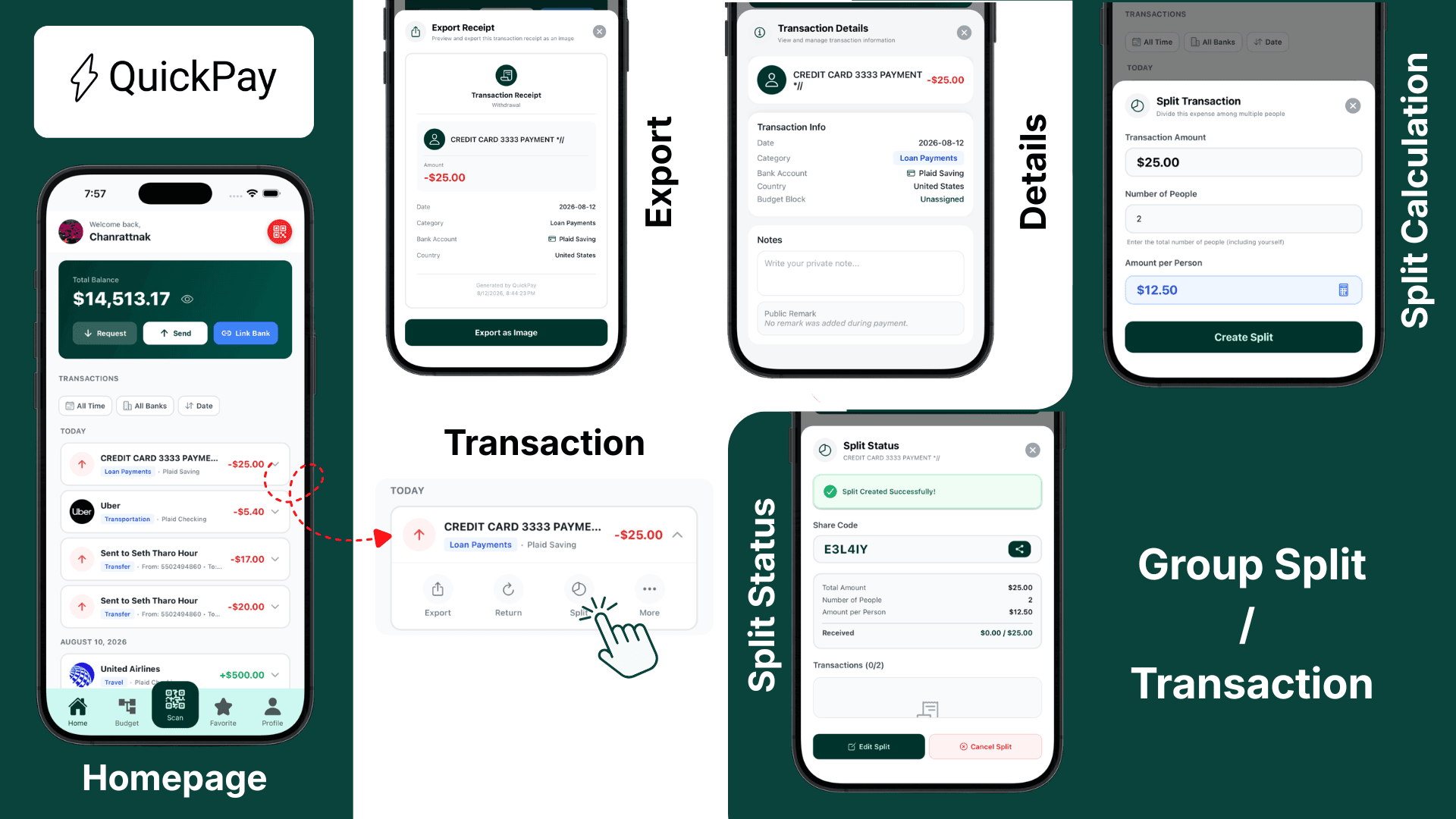
QuickPay is a non-custodial mobile financial management application built with React Native and the Expo framework. It allows users to link multiple bank accounts, make QR code payments, split group expenses, and visualize budgets in real time. The app integrates Plaid for secure bank connections, Stripe for payment processing, and Clerk for authentication, all while keeping user funds safely in their own accounts rather than storing them within the app.
The Problem
Managing personal finances across multiple bank accounts has become fragmented and overwhelming. Users find themselves constantly switching between separate banking apps, losing track of spending across accounts, and struggling to maintain meaningful budgets. Traditional budgeting tools often require tedious manual data entry and fail to provide real-time visibility into financial positions. Group expenses add another layer of complexity, with awkward payment reminders and unclear tracking of who owes what.
The Solution
QuickPay consolidates financial management into one seamless experience, giving users full visibility and control over their money through several core features.
- Unified Account Management through Plaid integration enables secure connections to multiple bank accounts, presenting balances and transactions from a single dashboard without requiring users to switch between apps.
- Fast Payment Processing via Stripe allows reliable transfers between accounts and to external recipients. The non-custodial design ensures funds never leave user accounts until transactions are executed.
- Visual Budget Interface presents an interactive flowchart for intuitive budget allocation and tracking. Users can create budget categories, set spending limits, and manage allocations through drag-and-drop interactions while watching spending update in real time.
- QR Code Payments enable instant peer-to-peer transactions. Users can scan codes to pay others or generate their own codes to receive payments, with built-in expense splitting for group situations.
- Secure Authentication through Clerk provides modern identity management including email verification, phone OTP, Google OAuth integration, and password recovery flows.
My Contributions
As project lead, I drove end-to-end development from planning through deployment with particular focus on the React Native Expo frontend. I architected and implemented the complete authentication system, which included a multi-step signup flow with email and phone OTP verification, password strength validation with real-time feedback, data persistence when users navigate back through the flow, Google OAuth integration, and password recovery functionality.
I designed and built the visual budget interface featuring an interactive pan-zoom canvas with draggable category blocks, real-time spending calculations as transactions occur, and detailed transaction tracking within each budget category. I also developed the home dashboard with transaction history and filtering capabilities, the QR code payment modal with share and copy functionality for easy distribution, and established the overall component architecture using MVC patterns with NativeWind for consistent styling throughout the application.